Introduction
It's known that lock wait timeouts are not issues in themselves, but safeguards: they are part of the locking mechanism databases use to keep transactions isolated (specifically the "I" in ACID) while protecting themselves from indefinite blocking. However, depending on the perspective and situation they can become actual problems that prevent project workloads from behaving as they were designed to.
Thus, let's cover how it's possible to think about systems that handle them gracefully and don't usually face them in undesired moments.
Creating a Problematic Scenario
Consider a scenario where there's an SQS queue that receives data that needs to be written on an RDS database through Lambda Functions. In this use case, the goal is to have a system that not only does this correctly, but quickly.
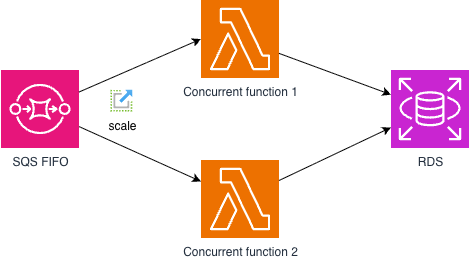
From a scalability perspective this may sound more than enough for having what's needed to achieve the requirement. However, there's a nuance that may need to be strictly captured while implementing: message group id.
Why Message Group ID Matters
First things first, keep the previous architecture in mind. Now, let's recall what can potentially cause a lock wait timeout: unfinished transactions pointing to the same given rows (locks holding a specific record).
Suppose that during implementation of an admin panel, an e-commerce development team didn't take care to choose a specific message group ID on their data writing pipeline and it is using a random UUID to scale the Lambda Functions (a very common use case, but one that will backfire later for this and also for losing the order guarantee). Essentially, the major concern will be: two updates for the same row in the database might come up at the same time.
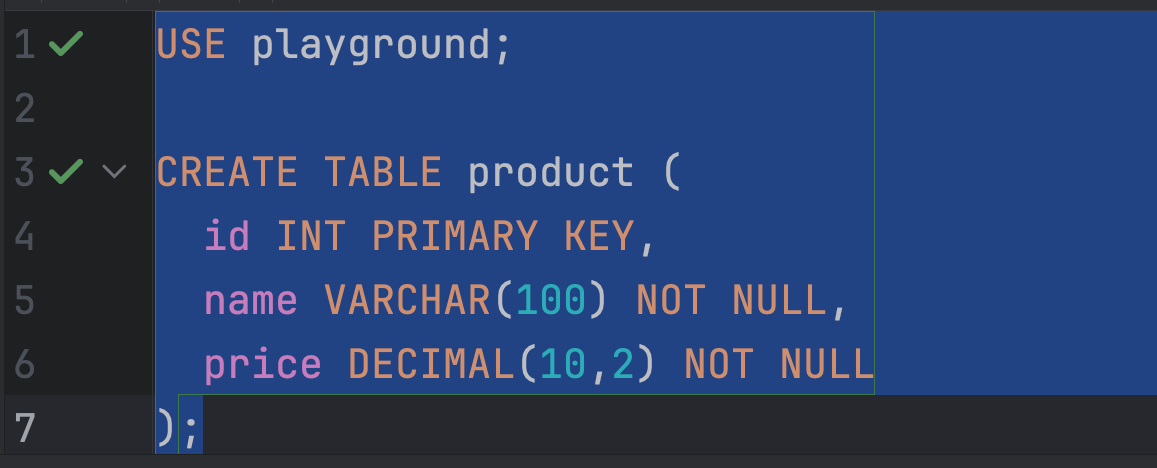
To make this more visual and less abstract, assume this is the product table in their RDS database:
CREATE TABLE product (
  id INT PRIMARY KEY,
  name VARCHAR(100) NOT NULL,
  price DECIMAL(10,2) NOT NULL
);
Note that the primary key is id and it is the key used for the UPSERTs. It's worth highlighting that a row lock covers whatever rows the statement's WHERE clause reaches, so to lock exactly one row and avoid gap locks plus unnecessary scanning, the statement should locate the row by a deterministic attribute. Here, that attribute is id.
All that said, let's imagine that each SQS message body looks like:
{
  "id": "5",
  "name": "SAMPLE PRODUCT",
  "price": 5.0
}
Moreover, ESM (Event Source Mapping) poller attempts to retrieve messages under the same group id on the same batch during retrieval for a given concurrent function. Ultimately, different message groups may potentially end up in two (or more) different concurrent executions.
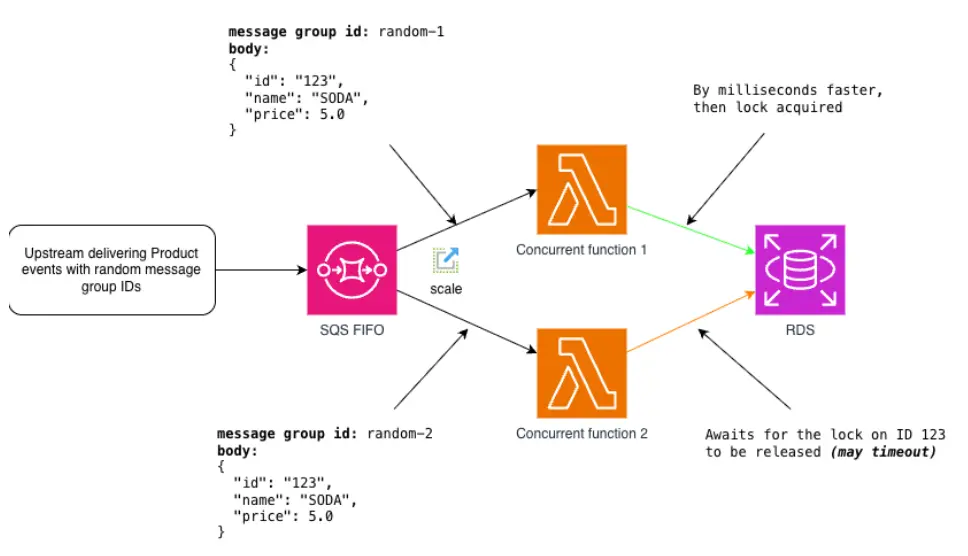
Still on the same e-commerce example, imagine that the upstream generates random IDs (as the image below, “random-1” and “random-2”) for SQS message group identification and this effectively makes the poller separates two events for that points to the same record in database into two separate functions, instead of orderly handling it:
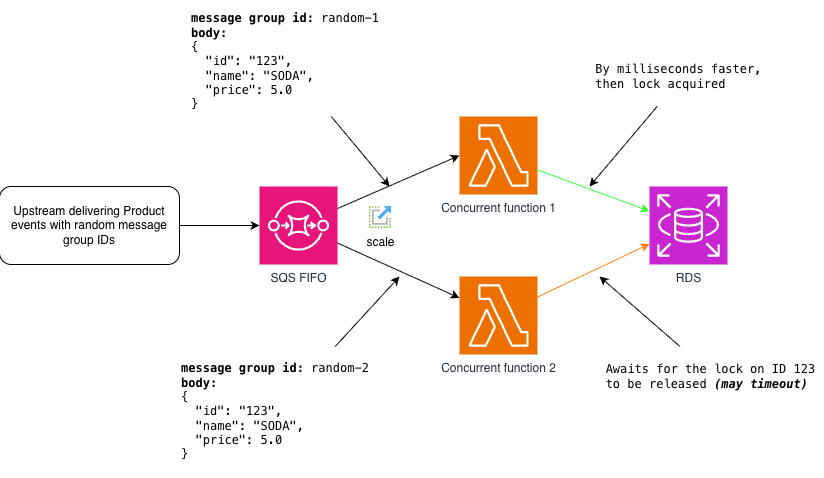
As highlighted on the diagram, that occasion is enough to start receiving failure alarms. Now, after realizing this circumstance, the team decided to use id as the discriminator id for separating messages in different groups, consequently reflecting on retrieved batches:
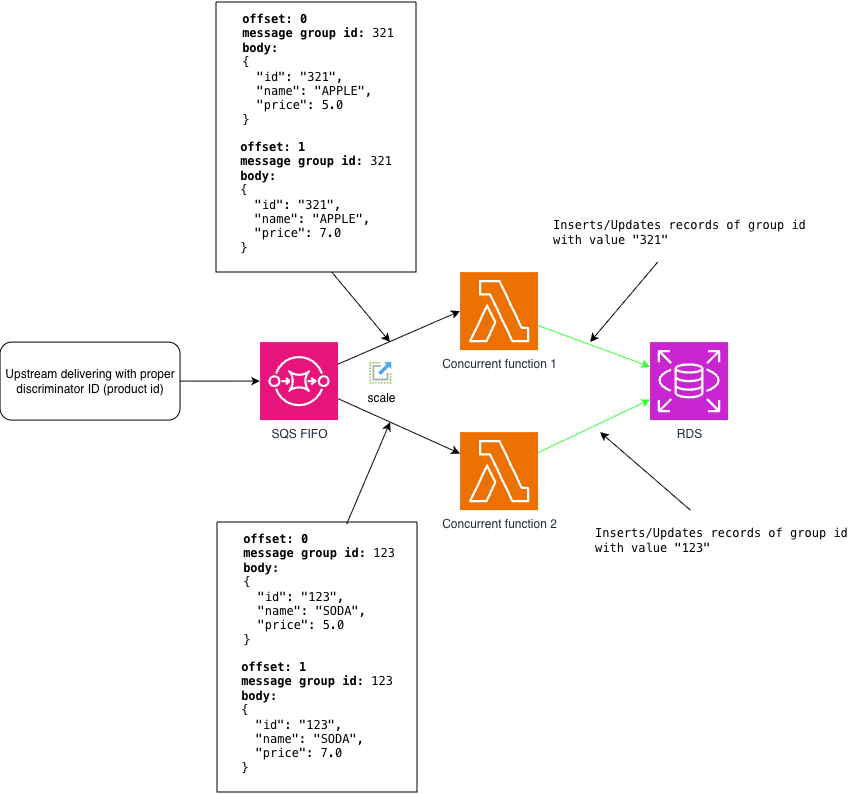
Hands-on: Reproducing Both Scenarios
To make this visually practical, we will need to create the components that were involved in the previous section. Certainly, since it's a simple architecture and there are good emulators such as Floci, we can implement the idea using it along with CDK like the snippets of code below.
Lambda Source Code:
import mysql from 'mysql2/promise';


export const handler = async (event) => {
  for (const record of event.Records) {
    const { id, name, price } = JSON.parse(record.body);
    const db = await mysql.createConnection({
      // consider that in an actual environment these values would be in a secret!!!
      host: process.env.DB_HOST,
      user: process.env.DB_USER,
      password: process.env.DB_PASSWORD,
      database: process.env.DB_NAME
    });
    try {
      await db.beginTransaction();
      // note that we are also upserting, that's essentially what will create the locks being hold
      await db.execute(
        'INSERT INTO product (id, name, price) VALUES (?,?,?) ON DUPLICATE KEY UPDATE name=VALUES(name), price=VALUES(price)',
        [id, name, price]
      );
      //forcing this to be slow
      await new Promise(resolve => setTimeout(resolve, 4000));
      await db.commit();
      console.log(JSON.stringify({ id: id, status: 'ok' }));
    } catch (err) {
      console.error(JSON.stringify({ id: id, code: err.code, errno: err.errno, sqlMessage: err.sqlMessage }));
      await db.rollback();
      throw err;
    } finally {
      await db.end();
    }
  }
};
To make it easy to run the idea on the emulator, the infrastructure resources will be set up through the following CDK reference:
import { App, Stack, Duration } from 'aws-cdk-lib';
import { Queue } from 'aws-cdk-lib/aws-sqs';
import { Architecture, Code, Runtime } from 'aws-cdk-lib/aws-Lambda';
import { NodejsFunction } from 'aws-cdk-lib/aws-Lambda-nodejs';


const stack = new Stack(new App(), 'LockWait');


const dlq = new Queue(stack, 'Dlq', { queueName: 'lock-wait-dlq.fifo', fifo: true });


const queue = new Queue(stack, 'Queue', {
  queueName: 'lock-wait.fifo',
  fifo: true,
  deadLetterQueue: { queue: dlq, maxReceiveCount: 1 }
});


const LambdaFunction = new NodejsFunction(stack, 'Fn', {
  functionName: 'lock-wait-fn',
  runtime: Runtime.NODEJS_24_X,
  architecture: Architecture.ARM_64,
  handler: 'index.handler',
  code: Code.fromAsset('Lambda'),
  timeout: Duration.seconds(30),
  environment: {
    // consider that in an actual environment this would be a secret!!!
    DB_HOST: 'mysql',
    DB_USER: 'root',
    DB_PASSWORD: 'root',
    DB_NAME: 'playground'
  }
});


LambdaFunction.addEventSourceMapping('ESM', {
  eventSourceArn: queue.queueArn,
  maxConcurrency: 5,
  // to force the error to happen
  batchSize: 1
});
For running Floci and the database, docker was chosen, hence the docker-compose.yml:
services:
  mysql:
    container_name: mysql_container
    image: mysql:8.0
    command: --innodb-lock-wait-timeout=3
    environment:
      # keep in mind that in a real world scenario this would be part of a secret
      MYSQL_ROOT_PASSWORD: root
      MYSQL_DATABASE: playground
    ports:
      - "3306:3306"
  floci:
    container_name: floci_container
    image: floci/floci:latest
    ports:
      - "4566:4566"
    volumes:
      - /var/run/docker.sock:/var/run/docker.sock
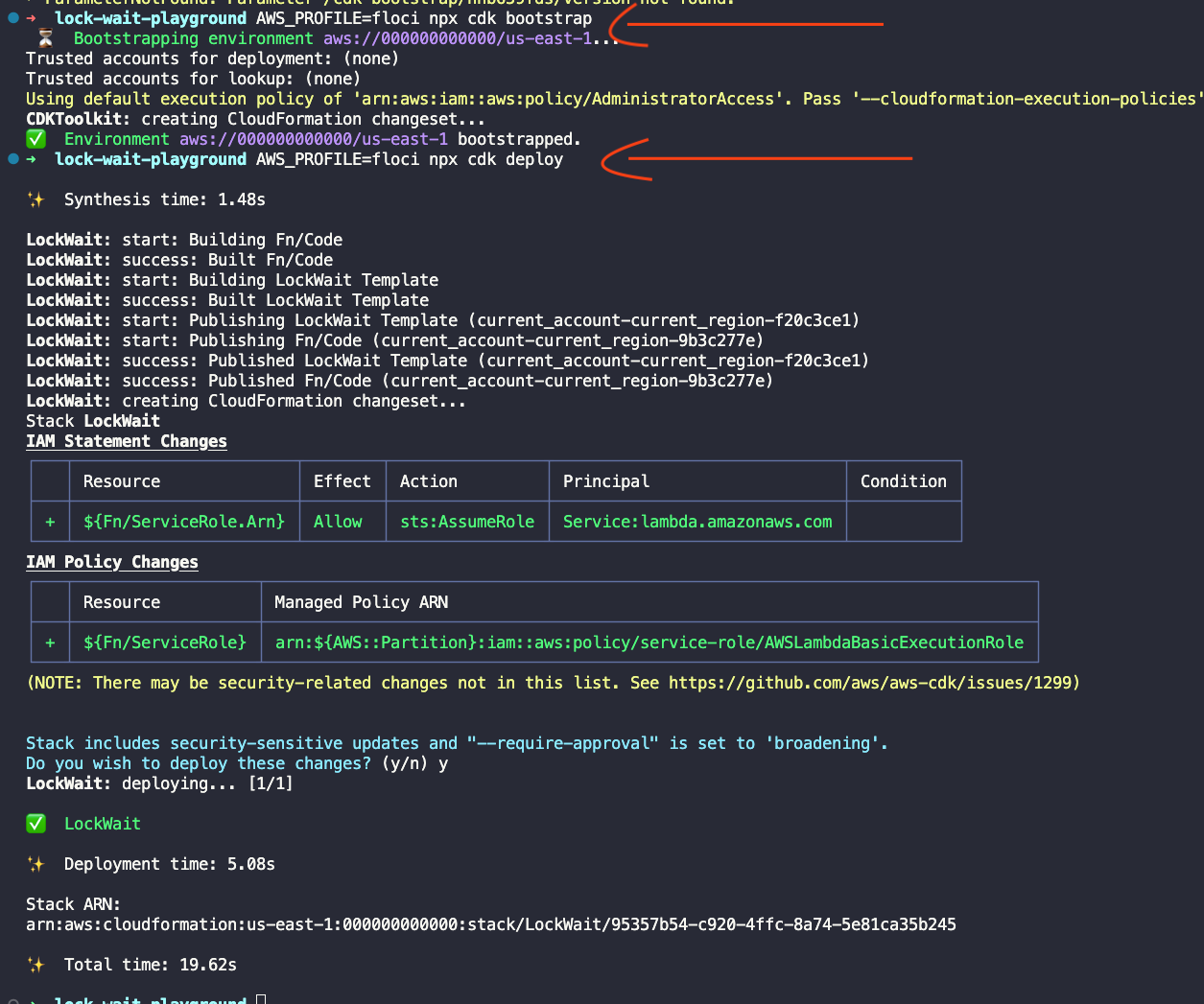
Once the local code and infrastructure setup is complete and the containers are running, we can bootstrap and deploy the resources using the CDK CLI.
First, running npx cdk bootstrap and npx cdk deploy as follows:
Then, setting up database with table DDL:
Worth pointing out that a DLQ is going to be used to facilitate the observation in failure cases, especially because Floci provides a UI that can be used to see this practically. Additionally, to assist testing a publish script was also created. We can observe both scenarios by passing the mode as second argument:
import { randomUUID } from "node:crypto";
import {
  SQSClient,
  GetQueueUrlCommand,
  SendMessageCommand,
} from "@aws-sdk/client-sqs";


const mode = process.argv[2];
const numberOfEvents = 100;
const products = [
  { id: "123", name: "SODA", price: 5.0 },
  { id: "321", name: "APPLE", price: 3.0 },
];


if (mode !== "random" && mode !== "constant") {
  console.error("usage: tsx publish.ts random|constant [id]");
  process.exit(1);
}


const sqs = new SQSClient({
  endpoint: "http://localhost:4566",
  region: "us-east-1",
  credentials: { accessKeyId: "test", secretAccessKey: "test" },
});


const { QueueUrl } = await sqs.send(
  new GetQueueUrlCommand({ QueueName: "lock-wait.fifo" })
);


await Promise.all(
  Array.from({ length: numberOfEvents }, (_, index) =>
    sqs.send(
      new SendMessageCommand({
        QueueUrl,
        MessageBody: JSON.stringify(products[index % 2]),
        MessageGroupId:
          mode === "random" ? randomUUID() : products[index % 2].id,
        MessageDeduplicationId: randomUUID(),
      })
    )
  )
);


console.log(`sent ${numberOfEvents} messages, mode ${mode}`);
During the tests let's refer to it as publish.ts. The mode can be either “random”, which generates a random UUID and creates the problematic scenario, or “constant”, which uses the two product identifiers we created, split between odd and even to make it easier to follow.
Executing Scenario 1: Random UUID as Message Group
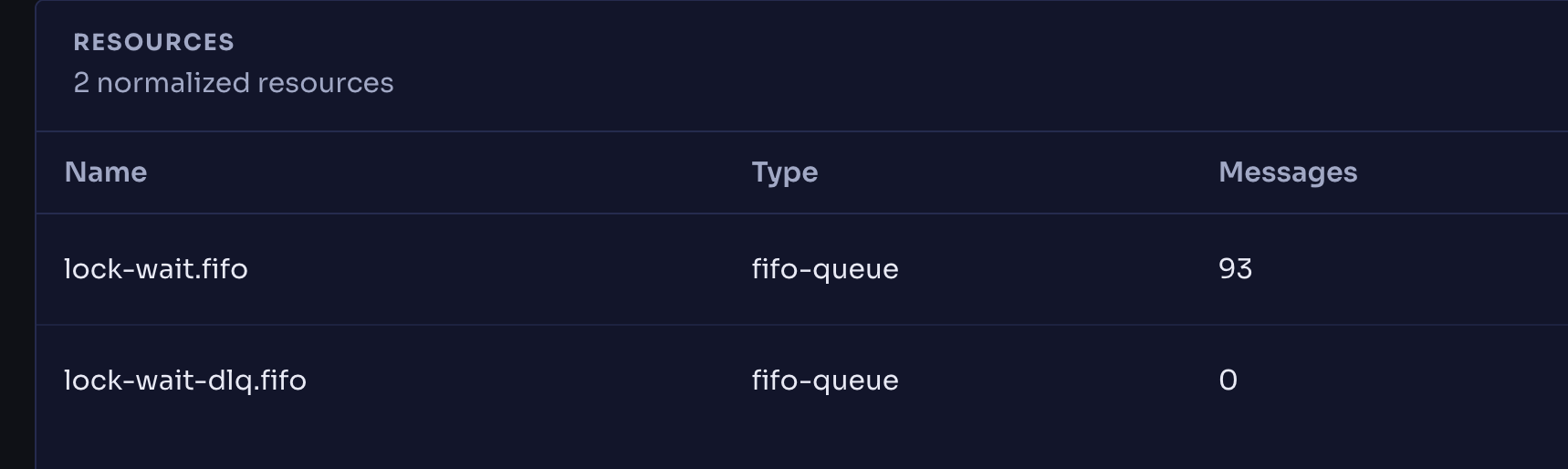
By running publish.ts, it's observable that the queue started receiving messages and is processing them according to the consumer Lambda Function created as part of the same stack:
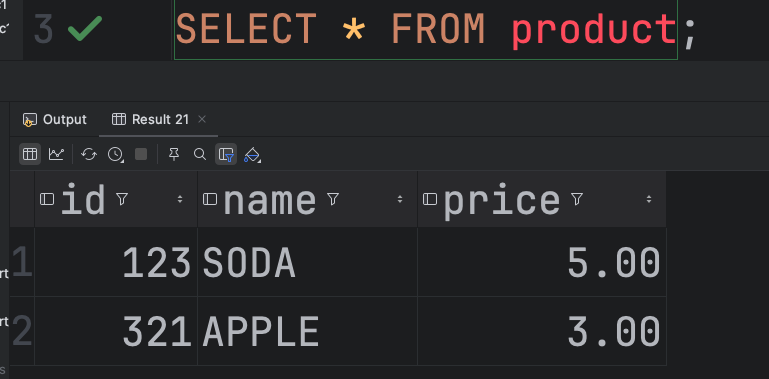
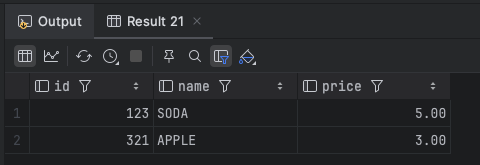
The records got successfully inserted and most likely are being properly updated in a few instances:
After some time and as expected in this case, the errors already started appearing in the Lambda logs:

The DLQ is also receiving some events, since the function was unable to process the respective messages:
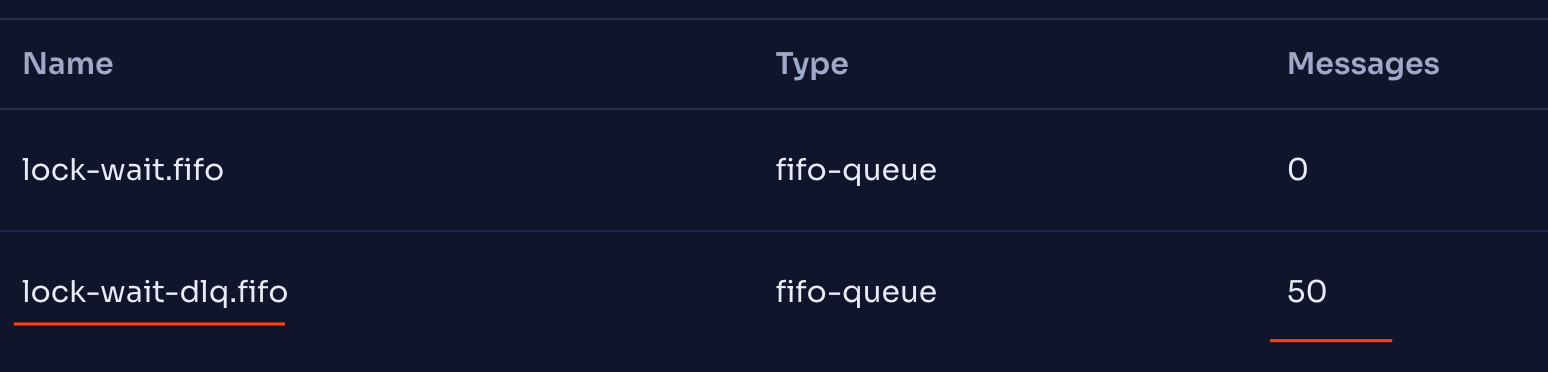
For this execution, based on the numbers observed, it is safe to say that half of the records were not processed as expected.
Executing Scenario 2: Product ID as Message Group
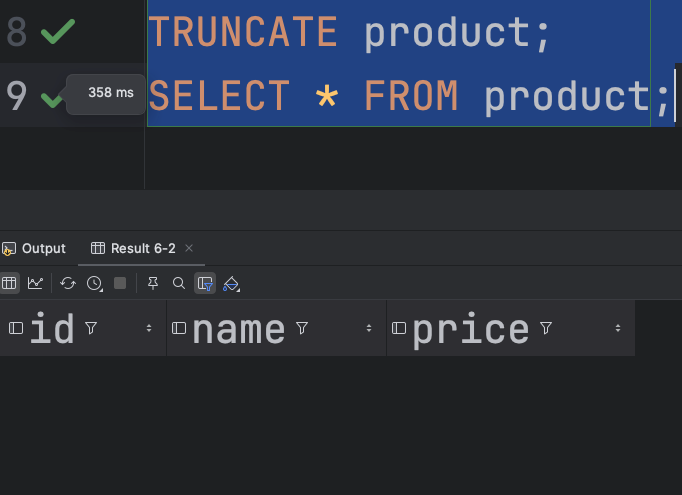
Before this execution, the queue was purged and database table was truncated, so that a clear stage will be in place:
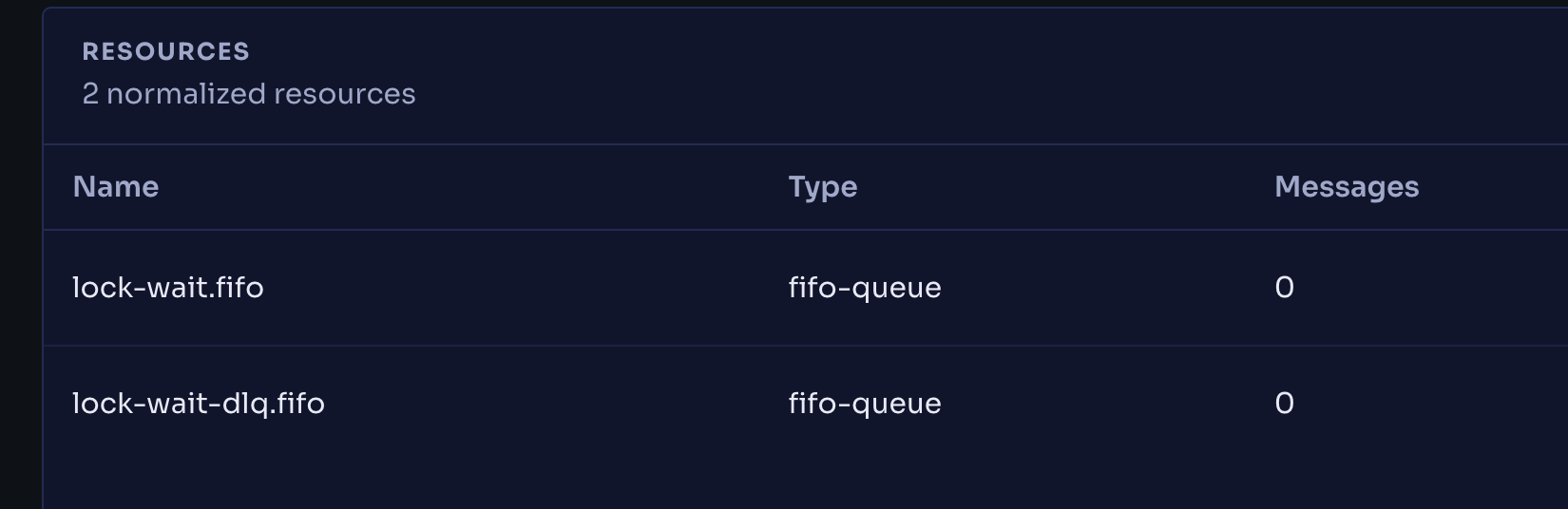
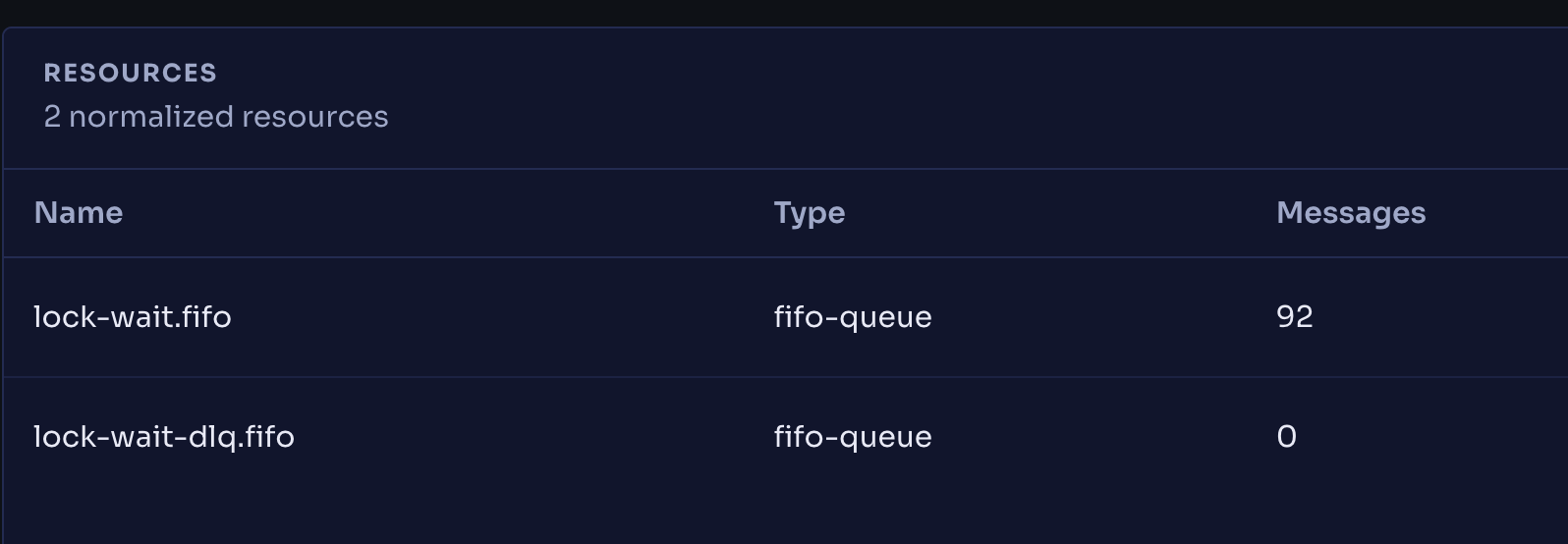
Now publish.ts was again executed, but this time in “constant” mode for using the product ID to separate “APPLE” and “SODA” in their respective concurrent Lambda executions. Given that, messages appearing in the queue:
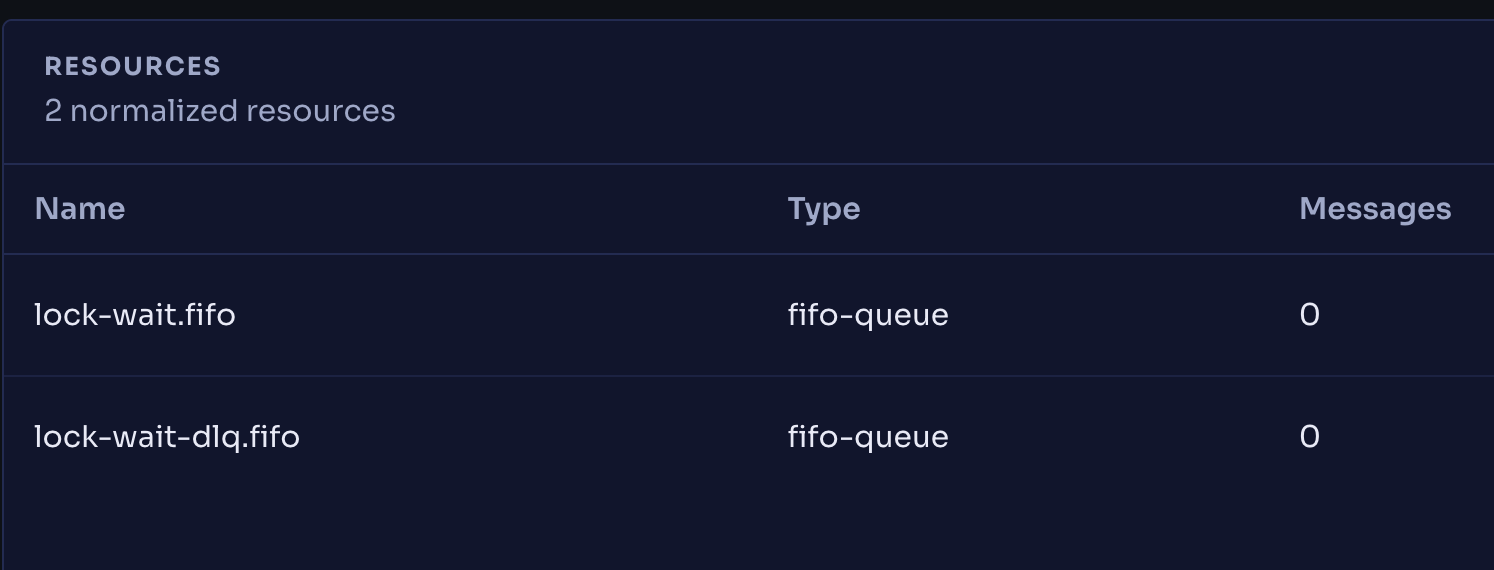
Post enough time for the execution, it is now observable that all the records were successfully received and processed (even if the batch size was initially set to 1 for stressing purposes).
Conclusion
Locks are defensive mechanisms that, when rightly used, will offer the needed protection. The main point is that FIFO ordering is not just about sequence as it may initially sound, but it is also a concurrency control. Choosing a message group ID that matches the unit of contention in the database (as done here, the product ID) guarantees that updates to the same row are serialized by SQS before they ever reach a transaction while updates to different rows still fan out across concurrent executions. A random UUID may give you maximum parallelism, but it also gives you maximum chance of collision in a given row being locked on the database side, potentially leading to an unwanted lock wait timeout.
So, when designing a pipeline that goes from SQS to Lambda and then to RDS, it is worth asking one simple question early on: how should messages be grouped so they can be processed concurrently? The example here uses SQS, but the same question applies to Kafka and its partition keys.
Finally, keep in mind that when designing, it's reasonable to consider that everything is a trade-off. In this case, a random group ID gives maximum throughput, but gives up ordering and invites the lock contention shown above. Using the product ID serializes updates to the same row, so a "hot" product becomes a serial bottleneck and parallelism is bounded by the number of distinct groups in flight, not by maxConcurrency.

.webp)

%20(1).svg)

.svg)